> For the complete documentation index, see [llms.txt](https://help.arito.vn/tai-chinh-ke-toan/llms.txt). Markdown versions of documentation pages are available by appending `.md` to page URLs; this page is available as [Markdown](https://help.arito.vn/tai-chinh-ke-toan/tong-hop/cac-cong-viec-dau-nam/tao-du-lieu-ky-cho-nam-moi.md).
# Tạo dữ liệu kỳ cho năm mới
Khi khởi tạo chương trình, hệ thống đang mặc định mở bảng lưu dữ liệu cho 3 năm gần nhất. Do đó để nhập liệu ngoài khoảng thời gian này (nhập ngược lại dữ liệu phát sinh năm cũ hoặc sử dụng quá 3 năm
### Hướng dẫn thao tác
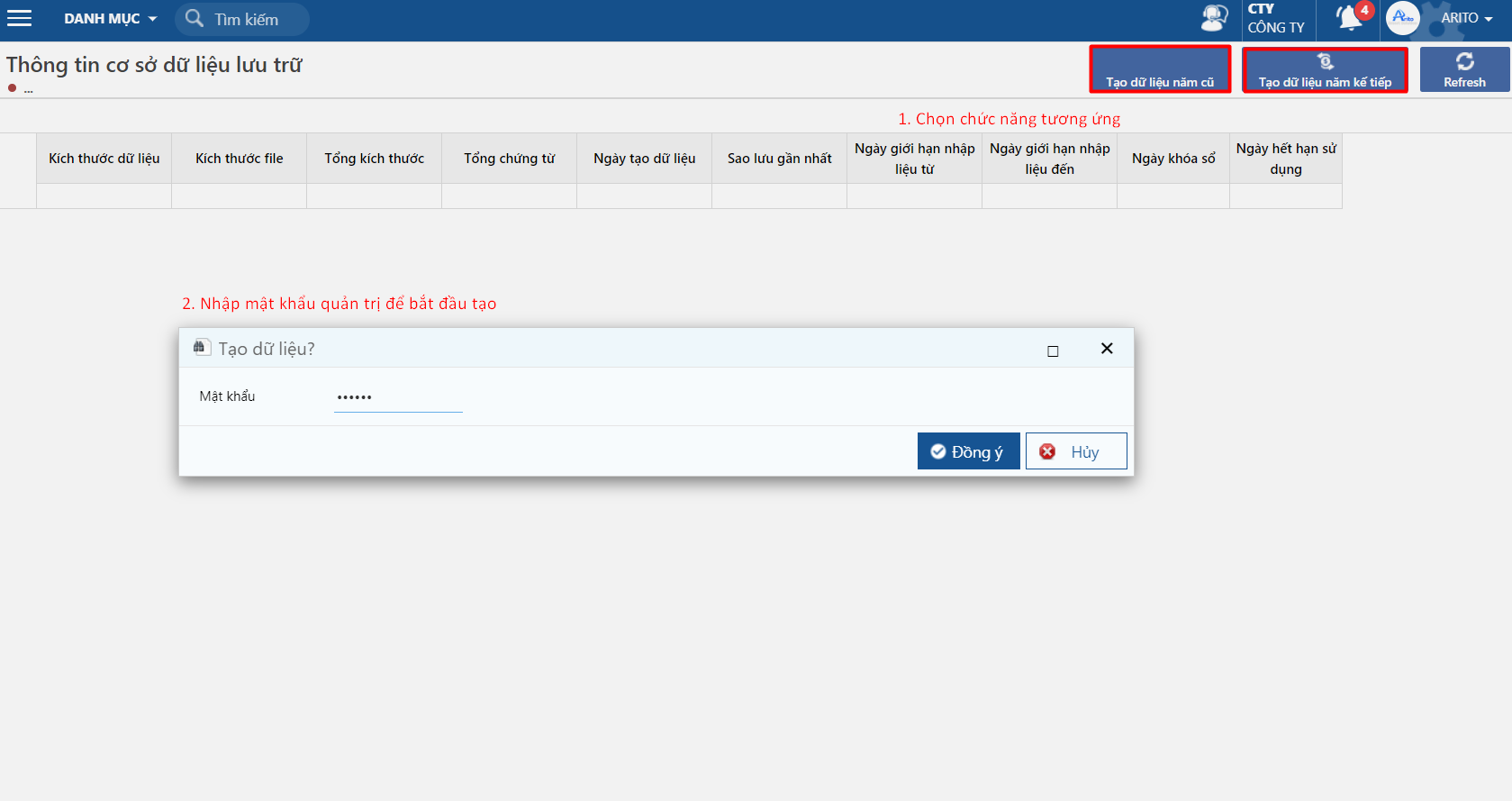
**Bước 1.** Truy cập chức năng tại đường dẫn: ***Hệ thống/ Tiện tích và kiểm tra số liệu/ Thông tin cơ sở dữ liệu lưu trữ,** c*họn chức năng tạo cho năm cũ hay tạo dữ liệu cho năm kế tiếp và nhập mật khẩu quản trị cấp để bắt đầu tạo.
**Lưu ý:**
* Chỉ có user có quyền quản trị mới thực hiện được chức năng này.
* Password tạo dữ liệu là: *arito@*
**Bước 2.** Kiểm tra kết quả sau khi phần mềm chạy xong và nhập liệu.